
Track your daily kharcha by just talking to it.
Say "teen sau pachas rupay" — Kharch Manager hears it and logs Rs 350 in under a second. Beyond a normal expense tracker, it also has dedicated ledgers for Udhaar (money lent/borrowed), Kamaiti (committee savings) and Qist (installments) — the parts of Pakistani household finance most apps ignore.
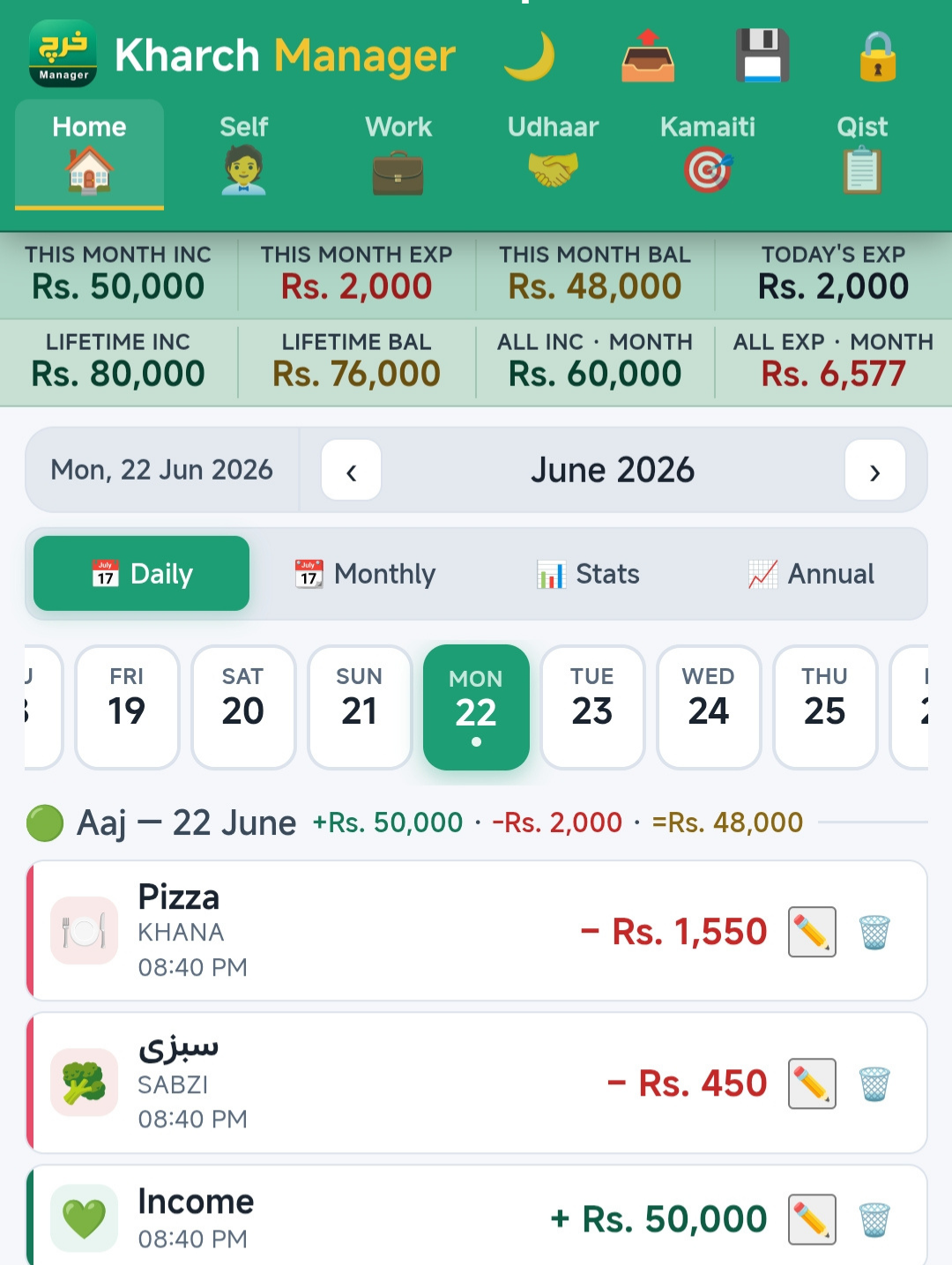
The real Kharch Manager home screen — open the live app →
Every expense app on Play Store was built for someone who isn't you.
Most expense trackers assume you count money in English and only care about a single "wallet." Neither is true for how Pakistani households actually manage money — there's the everyday kharcha, but there's also who owes you (udhaar), the committee you're paying into (kamaiti), and the installments you're tracking (qist).
Kharch Manager was built as the app we personally needed — one that understands Roman-Urdu when you speak, and gives Udhaar, Kamaiti and Qist their own dedicated space instead of forcing everything into one generic "transaction" list.
- Roman-Urdu & English voice input. "Teen sau pachas rupay" → Rs 350, logged instantly.
- Six dedicated ledgers. Home, Self, Work, Udhaar, Kamaiti, Qist — each kept separate.
- Offline-first. Works on the bus, at the dhaba, with no signal.
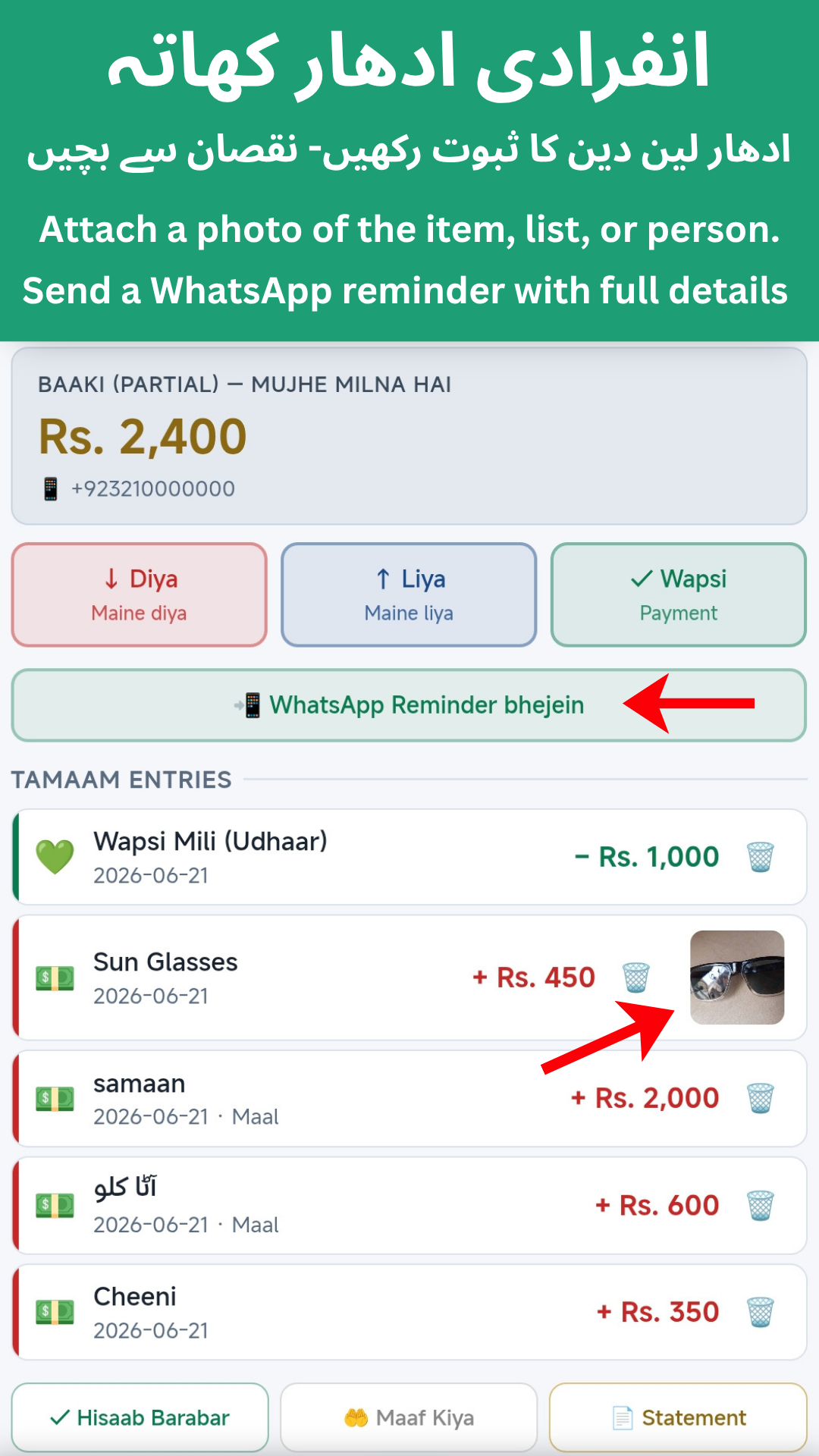
- Udhaar with Photo Proof. Attach a photo when you settle or forgive a loan.
- Free, forever. No ads. No premium tier. No signup wall.
- Your data stays on your phone. Stored locally, nothing sent to a server.
Everything you need. Nothing you don't.
Built for actual daily use — not feature-bloat that wins App Store screenshots.
Voice input (Roman-Urdu & English)
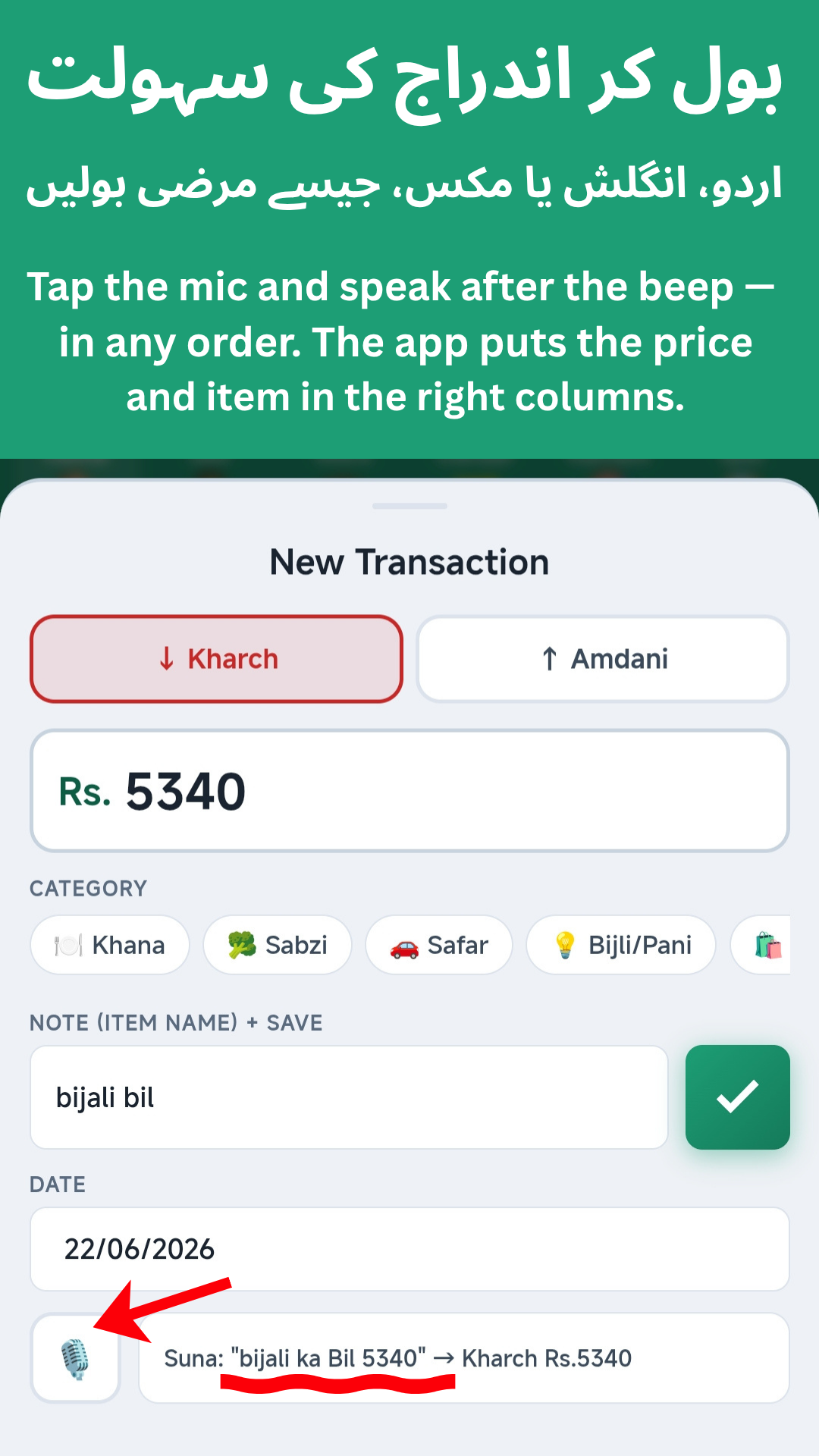
Tap the mic and say what you spent. Uses your browser's Web Speech recognition when online, with a built-in offline voice model (one-time ~150MB download) as a fallback when you have no signal.
Daily, Monthly, Stats & Annual views
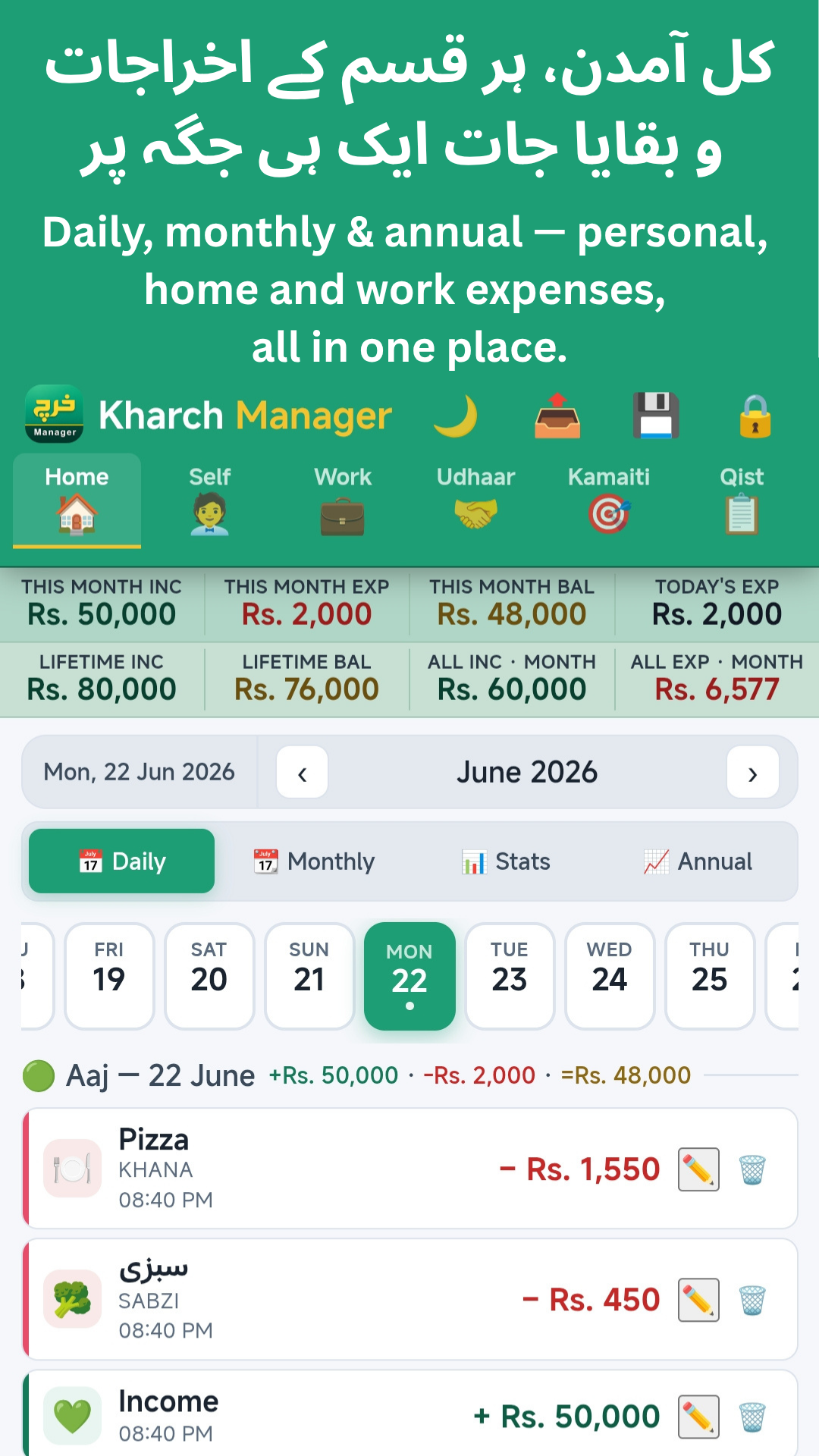
See totals on a daily list, a monthly calendar grid, a category-wise Stats breakdown, or a full-year Annual view. Tap any day to see exactly what was logged.
Category-wise breakdown
Tag each expense with a quick category chip (Food, Transport, Utilities, Shopping, Medical, Rent, and more). See what share of the month went to each one.
Udhaar, Kamaiti & Qist ledgers
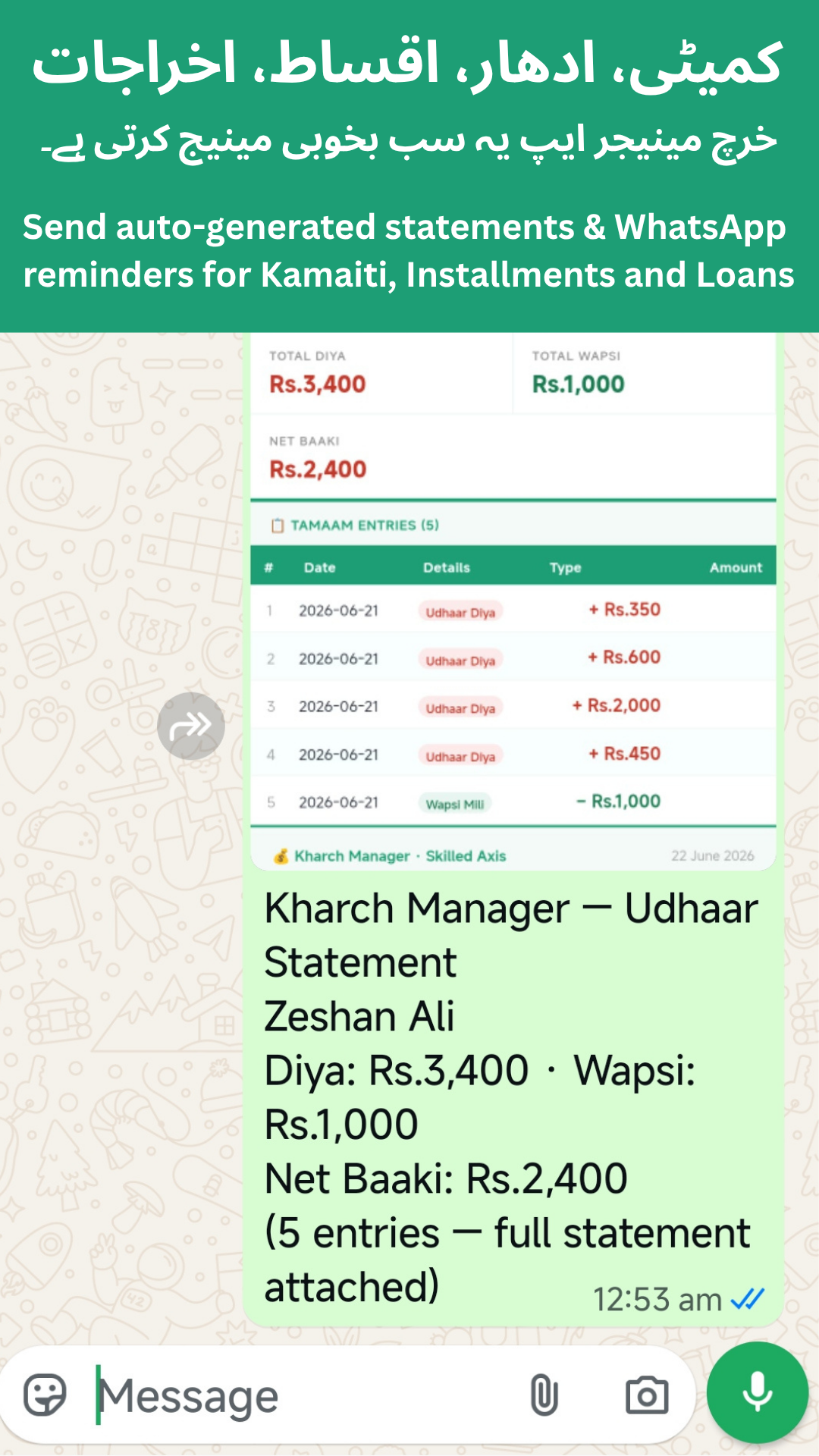
Track who owes you and who you owe (with Photo Proof and "Hisaab Barabar" / "Maaf Kiya" settlement), organise committee (kamaiti) savings, and keep installment (qist) reminders — each in its own ledger.
Works offline
A service worker caches the app on first load, so you can keep using it on the bus, in the dhaba, or in any signal dead-zone.
Local storage & CSV export
No accounts, no tracking. Everything is stored on your device (browser local storage), and you can export/share your data as a spreadsheet (CSV) anytime.
Password & fingerprint lock
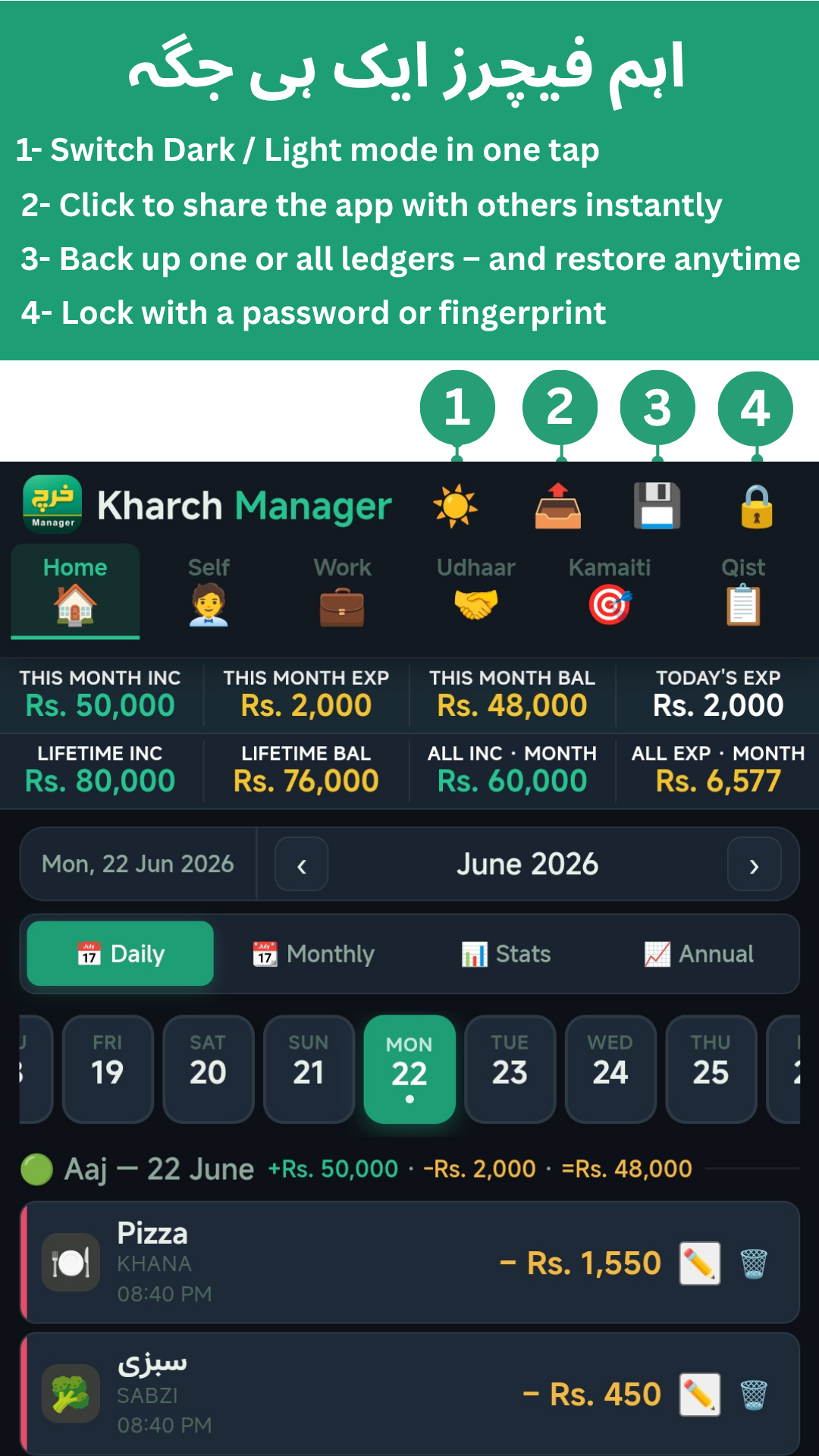
Protect your ledgers with a PIN, and optionally unlock with your phone's fingerprint or face (Touch ID, Face ID, Windows Hello or Android biometric).
Backup, restore & dark mode
Back up one ledger or all of them and restore anytime, share the app with a tap, and switch between an easy-on-the-eyes Dark mode and a bright Light mode.
Three steps. No friction.
Pick a ledger, tap the mic.
Open the app, choose Home, Self, Work, Udhaar, Kamaiti or Qist, then tap the mic and say the amount — in English or Roman-Urdu. Examples that work: "chai three fifty", "teen sau pachas rupay", "sixty thousand rupees".
It parses the amount.
Kharch Manager's number engine turns spoken Roman-Urdu number-words into the right amount — including tricky "glued" numbers like "saath hazaar paanch sau" (Rs 60,500) that trip up plain speech-to-text.
Tag a category, save.
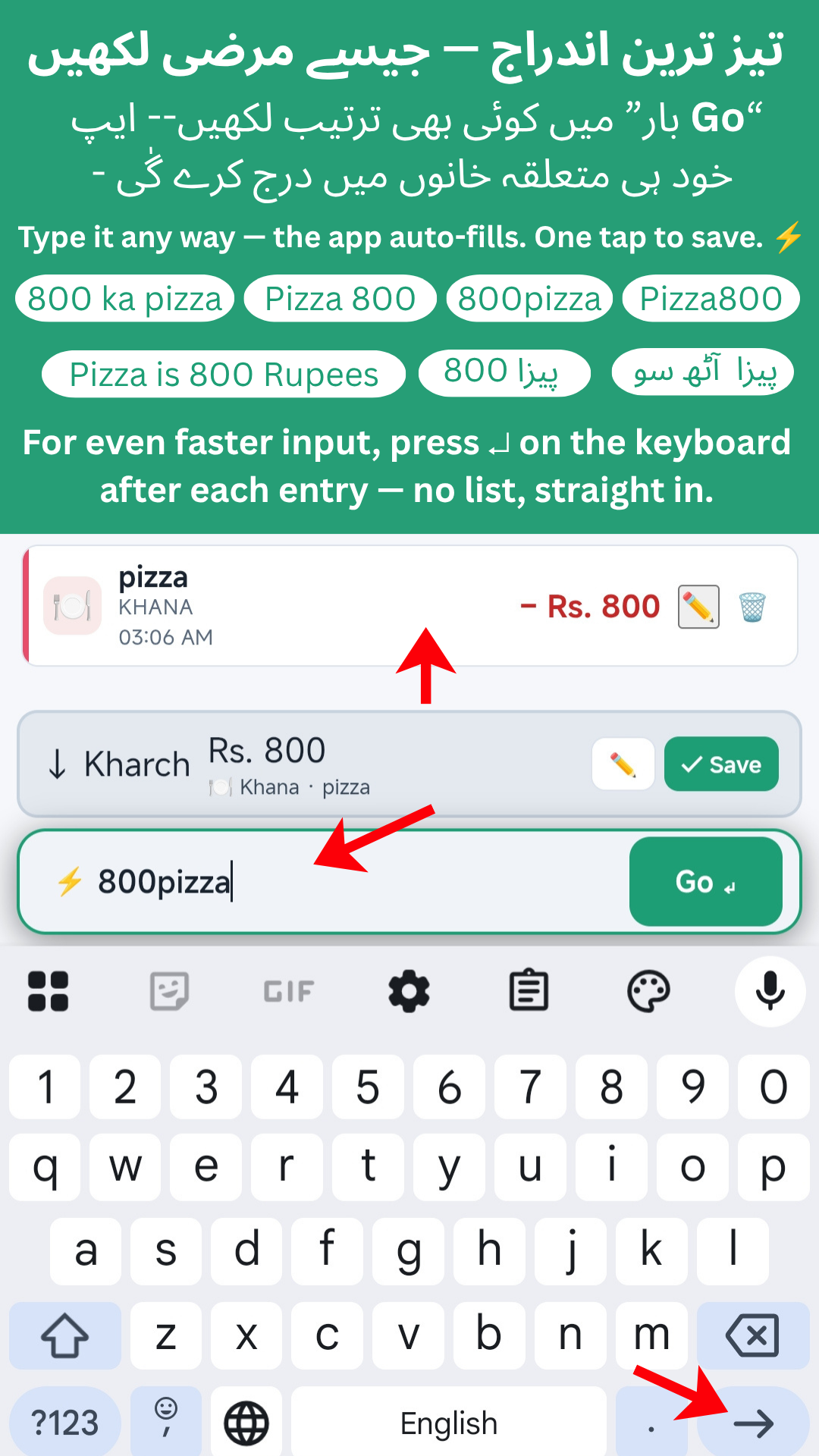
Confirm the amount, tap a category chip (Food, Transport, Utilities, etc.), and save. It shows up immediately in that ledger's calendar view and category breakdown.
Real screens from the app.
Actual in-app screenshots — the same ones on the Play Store listing.
Things people ask before installing.
Is it really free? What's the catch?
Yes, free. No catch. No "free tier" with limits, no ads, no premium upsell. It runs entirely on your device with no backend server, so there's nothing for us to charge for.
Does it work without internet?
Yes. After the first load, a service worker caches the app on your device. Voice input uses your browser's speech recognition when online, and falls back to a built-in offline voice model (one-time ~150MB download) when there's no signal. All your data is stored locally on your phone.
What languages does the voice input understand?
English and Roman-Urdu (Urdu written in English letters — the way most Pakistanis text), including mixed sentences and numbers in either language.
Where is my data stored? Is it private?
Locally on your phone, in the browser's local storage. Nothing ever leaves your device. There are no accounts, no logins, and no analytics tracking your spending. If you want a backup, use the CSV export feature and save it wherever you like.
What are Udhaar, Kamaiti and Qist?
Udhaar is money lent or borrowed informally — Kharch Manager tracks who owes whom, with Photo Proof and a one-tap way to settle in full or forgive it. Kamaiti is a rotating savings committee, common in Pakistani households, that Kharch Manager helps you organise. Qist is an installment plan — the app keeps reminders so you don't miss a payment.
When is it coming to Google Play?
Soon — it's currently a fully working web app (PWA) that you can install to your home screen today, while we prepare the Google Play listing. This page will get a "Get it on Google Play" button as soon as it's live.
Stop guessing where the paise went.
Install Kharch Manager and start tracking by voice in under 60 seconds. Free, forever.